
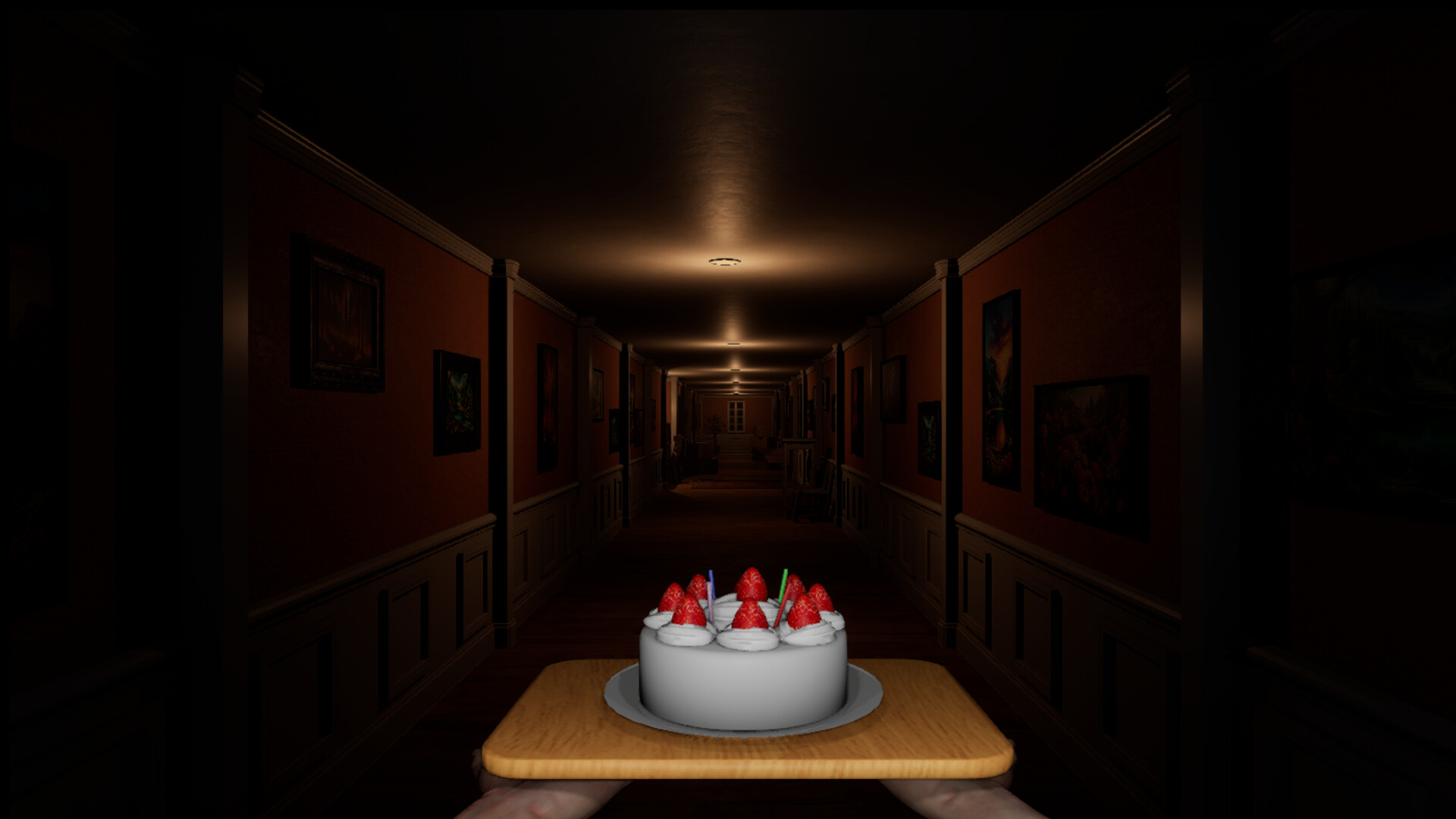
Mouse-based cake balancing
The cake reacts to movement and must be actively stabilized with the mouse while you navigate the environment.
Find the guide for the obstacle on your screen: factory buttons, the clock monster's Don't move rule, ski flags or the final chase. Don't Drop The Cake Wiki also covers cake controls, difficulty, Steam versions and the ending.
Don't Drop The Cake is a first-person horror game by Midoriyama, available on Steam. Every step can make the cake on your tray wobble, so you balance it with the mouse while facing creatures, traps, and the delivery's mystery. The full game, free Demo, and free Prologue are separate Steam entries, so their routes and story content should not be mixed.
Choose the problem on screen and open its chapter-specific answer. These shortcuts use the released five-chapter route and clearly separate gameplay help from story spoilers.
Factory roadblock
Read the wall's face order, survive the conveyor countdown, use lockers and check six green lights before the cage lever.
Snowfield roadblock
Stop for Don't move, find the cabin detonator, use the ski brake and follow the corridor after the descent.
Control problem
Match the direction of the slide to the likely cause, then fix turning, overcorrection, sensitivity, conveyor, or chase technique.
Final chapter roadblock
Clear the house, factory and ski hazards, then find the red T-handled detonator outside the cabin to advance the finale.
Open a chapter for route steps, controls for cake drops, or version information before installing. Story explanations are marked for spoilers.
Find the next action for house buttons, factory faces, the cage lever, clock warning, ski flags and cabin detonators, with failure checks and links to the exact steps.
Clear all five chapters with required objectives, enemy rules, conveyor and ski tactics, checkpoints, and the final delivery.
Find six buttons by room landmark, lock out the flower monster, check the exit lights and escape to the green elevator.
Read the wall's face order, survive the conveyor countdown, use lockers and check six green lights before the cage lever.
Stop for Don't move, find the cabin detonator, use the ski brake and follow the corridor after the descent.
Read the head-turn cue, reach the pedestal button, search the corridor branches and check the six-light gate before escaping.
Use the monitor-lined factory lane, avoid ski hazards and locate the red exterior detonator with images and timed video links.
Learn the actual WASD and mouse roles, then fix corner, chase, conveyor, ski and sensitivity mistakes that make the cake fall.
Choose from four modes, practise Hard with scene-specific retry steps, change difficulty during a run and use checkpoints to learn one failure at a time.
Get the controls, first-run difficulty, checkpoint habits, and version choices that help you start without losing progress to avoidable drops.
Understand the daughter, Nokiwa's betrayal, the clock monster's rewind power, and why delivering the cake resolves the story.
Compare the three Steam apps by release date, scope, version evidence, and the developer-announced Demo continuation feature.
Don't Drop The Cake is a first-person horror game developed and published by Midoriyama. Rather than simply surviving monsters, players continuously stabilize a cake that shifts on a tray while moving through increasingly dangerous environments.
The official Steam page describes chases, obstacles, fast courses, checkpoints, and selectable difficulty alongside the balancing mechanic. A sudden reaction to a jumpscare can move the mouse, destabilize the cake, and turn panic itself into a gameplay hazard.
The cake reacts to movement and must be actively stabilized with the mouse while you navigate the environment.
Creatures, traps, chases, and surprises compete for your attention while the cake remains a constant failure condition.
The purpose of the delivery, its recipient, and the nature of the strange world are gradually revealed as the journey continues.
The released route spans five chapters, from the opening house and factory to the snowfield, betrayal and final chase. The walkthrough records enemy rules and version-sensitive obstacles.
Walking makes the cake wobble, so movement and mouse corrections have to work together.
Some encounters force you to run or react quickly without losing control of the tray.
Later challenges demand movement through hazards and fast courses while the balancing mechanic remains active.
Multiple difficulty options let players prioritize either the balancing challenge or the story.
Frequent checkpoints reduce repetition after mistakes and make difficult encounters easier to practice.
Don't Drop The Cake is available on Steam. The storefront displays August 30, 2026, while Midoriyama's launch announcement uses August 31. Check the live Steam product page for your region, price, and download access rather than relying on one calendar display alone.
Storefront and published patch announcements checked October 2, 2026. Sources: the official Steam full-game page and Midoriyama’s Steam announcements.
Release facts come from first-party sources; route instructions come from compared final-build playthroughs. Version scope, spoilers, dates, and interpretation are labelled where they matter.
Quick answers about cake controls, difficulty, playtime, versions and device support. Follow each link for the full guide.
Use WASD to move and turn, and reserve the mouse for balancing the cake. Stop before corners, turn with A or D, then make short mouse corrections toward the tray centre instead of trying to look around with the mouse.
Find the cause of your cake dropsChoose Easy to learn the route while keeping active cake balancing, or Super Easy if you mainly want the story. You can change Difficulty from the pause menu during a run without starting again.
Choose a difficulty and learn how to change itThe released full game has five chapters, from the opening house through the factory and snowfield to the final chase and cake delivery. Use the full walkthrough to find your current chapter.
Open the five-chapter walkthroughAllow about 2–4 hours for a first run, or 3–5 hours on Hard or with repeated retries. Reviewed complete runs ranged from roughly two to three hours; these are examples, not a measured player average.
See playtime examples and difficulty adviceThey are separate Steam apps: the Prologue is an earlier free release, the Demo adds story content beyond it, and the full game contains the complete story. Use a guide for the version you are playing.
Compare the full game, Demo and PrologueYes. Midoriyama announced that players who complete the Demo can continue their progress in the full game. Keep your Demo save until you have followed the full game’s continuation instructions.
Compare versions and save continuationNo official gamepad support. Midoriyama says some gamepad inputs may work, but balancing the cake with a mouse is central to the intended experience. Steam Deck's Playable rating and Steam Input remapping do not change that PC support status.
Read controller support and input rolesValve rates the tested build Playable on Steam Deck. The default layout can access all functionality, but some prompts may use mouse, keyboard or non-Deck input icons; check the control guide before starting.
Read Steam Deck compatibility and controlsStart with the full five-chapter route, then use the practical controls, four-mode difficulty, release, version and ending guides for the problem blocking your run.