
Don't Drop The Cake controls and balancing
Use WASD to move and turn, then use the mouse only to balance the cake. The most common first-hour mistake is trying to look around with the mouse as in a normal first-person game; that moves the tray instead, pushes the cake toward an edge and often causes a drop. Face the route with A/D, walk in a straight line, and make short mouse corrections before the cake reaches the rim.
On this page+
Controls you need
| Input | Action | Practical use |
|---|---|---|
| W | Move forward | Main input for straight corridors and timed crossings. |
| S | Move backward | Create space without making a wide turn. |
| A / D | Turn left / right | Aim the character and camera; the mouse is reserved for balance. |
| Mouse | Balance the cake | Correct the slide with small, controlled movements. |
| E | Interact | Press buttons and activate route objects when prompted. |
| F | Lock a door | Used in the opening flower-creature sequence. |
| Esc | Pause | Open settings or Difficulty and resume from the current run. |
The game teaches the interaction inputs contextually, so do not hold them while moving unless the prompt is visible. There is no regular jump or combat loop to master; most failures come from route timing, panic movement or losing the cake. This leaves your attention split between the path in front of you and the tray at the bottom of the screen.
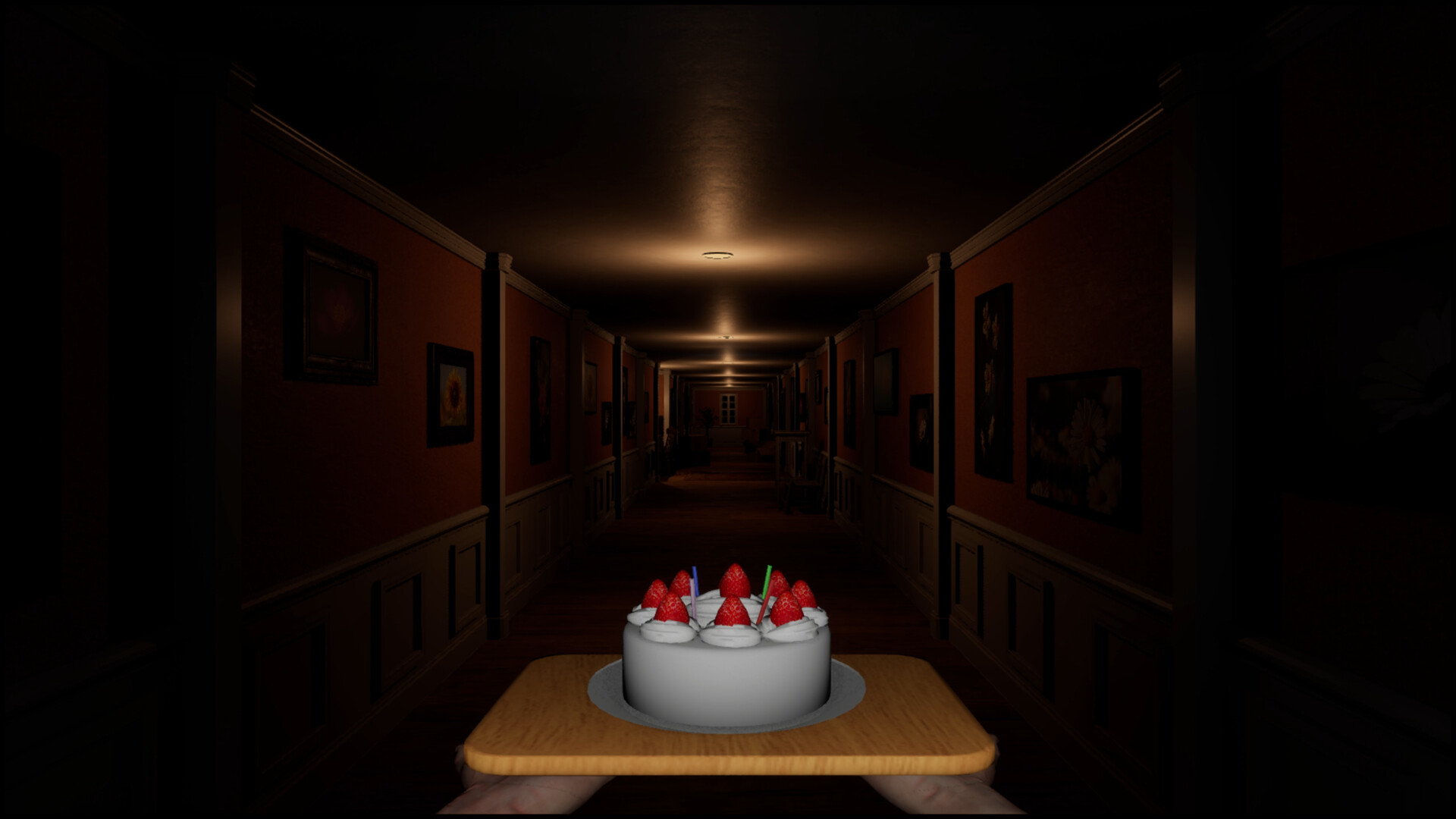
Break the mouse-look habit first
In most first-person games, the mouse controls the camera. Here, horizontal orientation comes from A/D, while the mouse shifts your hands and cake, so a reflexive mouse turn creates exactly the instability you are trying to avoid. Spend the opening straight corridor practising keyboard turns before the first enemy makes the mistake expensive.
When you need to inspect a doorway, stop forward movement, turn with A or D, and move again only when the cake is centred. Do not combine a 90-degree turn with a large mouse sweep. Separating those actions feels slower for a few minutes but prevents repeated drops throughout every later chase.
Make smaller corrections earlier
Watch the cake's position on the tray instead of waiting for a dramatic tilt animation. As soon as it begins drifting, use a short correction toward the tray's centre, release the mouse movement, and observe the result. A long drag often carries the cake through the centre and creates an equally dangerous slide on the opposite side.
Think in pulses: walk, read the drift, correct, then continue. On Easy or Normal, this rhythm is more dependable than continuously circling the mouse while moving. If you run out of physical mouse space, lift and recenter the mouse while your character is stopped instead of dragging the cake during a hazard.
Walk straight and prepare every corner
Straight movement gives you fewer simultaneous inputs to manage. Before a narrow bridge or spike corridor, line up the exit in the centre of the screen, centre the cake, and press W without adding A/D until you reach the next safe floor. Correct the cake with the mouse, not the character's direction, unless the route itself requires a turn.
At a corner, release W first, turn with A/D, check the cake, then accelerate again. This three-part turn prevents a diagonal path from adding route drift while the mouse is already correcting tray drift. It is especially useful in the opening house and the factory's narrow platforms.
Balance during chases and scares
Learn the escape direction before watching the creature. In the flower-creature rooms, enter the correct doorway, turn with the keyboard and use F at the lock prompt; turning the mouse to watch behind you destabilises the cake without helping the escape. In the factory pursuit section, identify a nearby locker before moving toward the next wall button so you have a short escape route.
After a jumpscare, release the mouse for a moment instead of immediately compensating for the movement that startled you. Check which side of the tray the cake actually occupies, then correct once. Two automatic reactions—the initial jerk and an unmeasured counter-jerk—cause many avoidable drops.
Conveyor-belt technique
Centre the cake and face the exit before stepping onto a conveyor. Counter the belt with short keyboard taps while reserving the mouse for the cake, and avoid holding a diagonal direction for the entire crossing. Stop on each safe platform, let the cake settle, and line up the next belt as a separate attempt.
Version 1.01 adjusted the conveyor-belt stage difficulty, so launch-day footage may not match current movement. The reliable principle is to react to the belt in your build rather than reproduce an old number of seconds or exact input length. For the surrounding buttons and factory route, use the full walkthrough.
Ski course and automatic-run technique
On the Chapter 3 ski course, aim for the centre between each pair of flags and begin turning before you reach them. Optional speed boosts are not required for a safe clear, so skip them while learning. Use broad route planning with A/D, but keep the actual cake correction short and separate.
The final chapter moves forward automatically, removing the option to stop and reset. Keep the route centred, make only the lateral movement needed to avoid a beam or obstacle, then correct the cake after the dodge. Looking ahead is more useful than staring at the cake continuously because the next forced movement determines when a correction is safe.
Diagnose why the cake keeps falling
| Symptom | Likely cause | Fix |
|---|---|---|
| Cake flies sideways when you inspect a room | You used mouse-look by habit | Stop, turn with A/D, then move. |
| Cake crosses from one edge to the other | Correction is too large | Correct earlier with shorter pulses. |
| You run out of mouse pad | Sensitivity is too low or correction too late | Recenter while stopped and adjust sensitivity once. |
| Every corner causes a drop | Turning and moving are combined | Release W, turn, centre, then continue. |
| Chase failures feel random | You are watching the enemy instead of the exit | Learn the route and use keyboard orientation. |
| Conveyor corrections never settle | You are correcting belt and cake with the same input | Use keyboard for the belt, mouse for the cake. |
Retry from the nearest checkpoint after changing only one habit. A repeated result tells you more than adjusting sensitivity, difficulty and route simultaneously. If the objective itself is unclear, solve that with the walkthrough before treating it as a balance problem.
Controller support status
The full game does not officially support gamepads. Midoriyama answered the controller question directly: some inputs might work with a gamepad, but mouse control of the cake is central to the intended experience. The Steam feature panel also does not list controller support. On a desktop PC, plan to use a keyboard and mouse unless the developer announces a change.
Steam Input can map keyboard and mouse actions onto another device, but remapping is not evidence of developer-provided controller prompts or native gamepad support. Check the official Steam page immediately before purchase if controller access is essential.
Does Don't Drop The Cake work on Steam Deck?
Yes—Valve's compatibility test classifies the tested build as Playable on Steam Deck. The compatibility metadata records successful SteamOS operation, readable interface text, acceptable default graphics, and access to all functionality with the default controller configuration. The recorded caveat is that the game may show mouse, keyboard, or non-Deck controller icons.
Start with the Deck's default layout and expect an occasional keyboard or mouse prompt. Identify which control maps to keyboard turning and which maps to mouse-like cake correction before changing the layout. Valve's Steam Deck compatibility report was rechecked on October 2, 2026 and still records Playable with those input-icon caveats. Deck's default configuration translates its controls; the developer's separate PC gamepad answer remains unchanged.
Check your layout before a chase
- Start at a safe checkpoint and confirm which controls move forward/back and turn left/right. Those actions correspond to W/S and A/D.
- Test the mouse-equivalent input separately: it should adjust the tray, while your movement control changes your position or direction. If looking around moves the cake instead, switch to the keyboard-turn input.
- Check the bindings for E interaction, F door locking and Esc pause before an encounter asks for them.
- Try the layout on Super Easy while learning the route, then raise difficulty from the pause menu if desired.
This is a setup recommendation based on the game's input roles, not a tested custom controller preset. On Deck, begin with Valve's default configuration before changing individual bindings.
Verification and related guides
Controls and techniques were checked against three complete released-game runs on Easy, Normal and Hard, including visible control prompts and repeated obstacle attempts. Controller status was checked against Midoriyama's direct Steam reply and the store feature panel, patch behaviour against the Version 1.01/1.02 announcements, and Deck status against Valve's own Steam compatibility report. Controller, Deck and store facts last reviewed: October 2, 2026.
Continue with the full five-chapter walkthrough, difficulty and checkpoints, and official patch notes. The tactical advice is original synthesis from complete gameplay footage; it does not copy another guide's wording or present Steam Input workarounds as official controller support.
Continue exploring
Related guides
Don't Drop The Cake Guides: Puzzle Solutions & Fixes
Stuck in Don't Drop The Cake? Find factory button solutions, cage lever checks, clock monster rules, ski controls, cabin detonators and final chase fixes.
Don't Drop The Cake Beginner Guide: Controls & First Steps
Start Don't Drop The Cake with the real controls, a first-run difficulty choice, checkpoint habits, five-chapter expectations, and version advice.
Don't Drop The Cake: Demo, Prologue and Full Game
Compare the Don't Drop The Cake Demo, Prologue and full game by Steam app, release date, scope and save-carryover notice. Avoid following the wrong route.
Don't Drop The Cake Difficulty Guide: 4 Modes & Saves
Choose a Don't Drop The Cake difficulty, practise Hard mode's factory, ski and chase sections, change settings mid-run and use checkpoints to retry safely.