
Don't Drop The Cake beginner guide
The fastest safe start is simple: play the full game for the complete story, choose Easy if you want room to learn the cake, and treat the mouse as a balancing tool rather than camera look. If the balance mechanic is stopping you from enjoying the route, change to Super Easy from the pause menu instead of restarting the story. This guide gives new players the controls and decision points that matter before the first chase; use the full walkthrough as soon as you need a chapter-specific answer.
On this page+
Quick start: do these four things first
- Pick the full game if you want the finished five-chapter story. The free Demo is useful for trying the current premise before purchase; the older Prologue is best treated as an earlier, different release.
- Start on Easy for a forgiving first complete run. Pick Super Easy if steady mouse control or first-person motion is getting in the way of the story.
- Move and turn with WASD. Keep the mouse for small cake corrections; using it to look around is the mistake that causes many early drops.
- After a failure, retry from the nearby checkpoint and change one thing at a time: route timing, keyboard movement, or mouse correction. Do not change all three together.
Learn the controls before the first chase
| Input | What it does | Habit that prevents drops |
|---|---|---|
| W / S | Move forward or backward | Use short, straight movements when the cake is already near an edge. |
| A / D | Turn left or right | Stop forward movement, turn with the keyboard, then move again. |
| Mouse | Correct the cake's position on the tray | Make a short correction and release; a long drag can send the cake past centre. |
| E | Interact when the prompt appears | Use it at buttons and route objects rather than searching for a separate action menu. |
| F | Lock a door when prompted | The opening escape teaches this before it becomes urgent. |
| Esc | Pause the run | Open Difficulty here when a balance-heavy section stops being fun. |
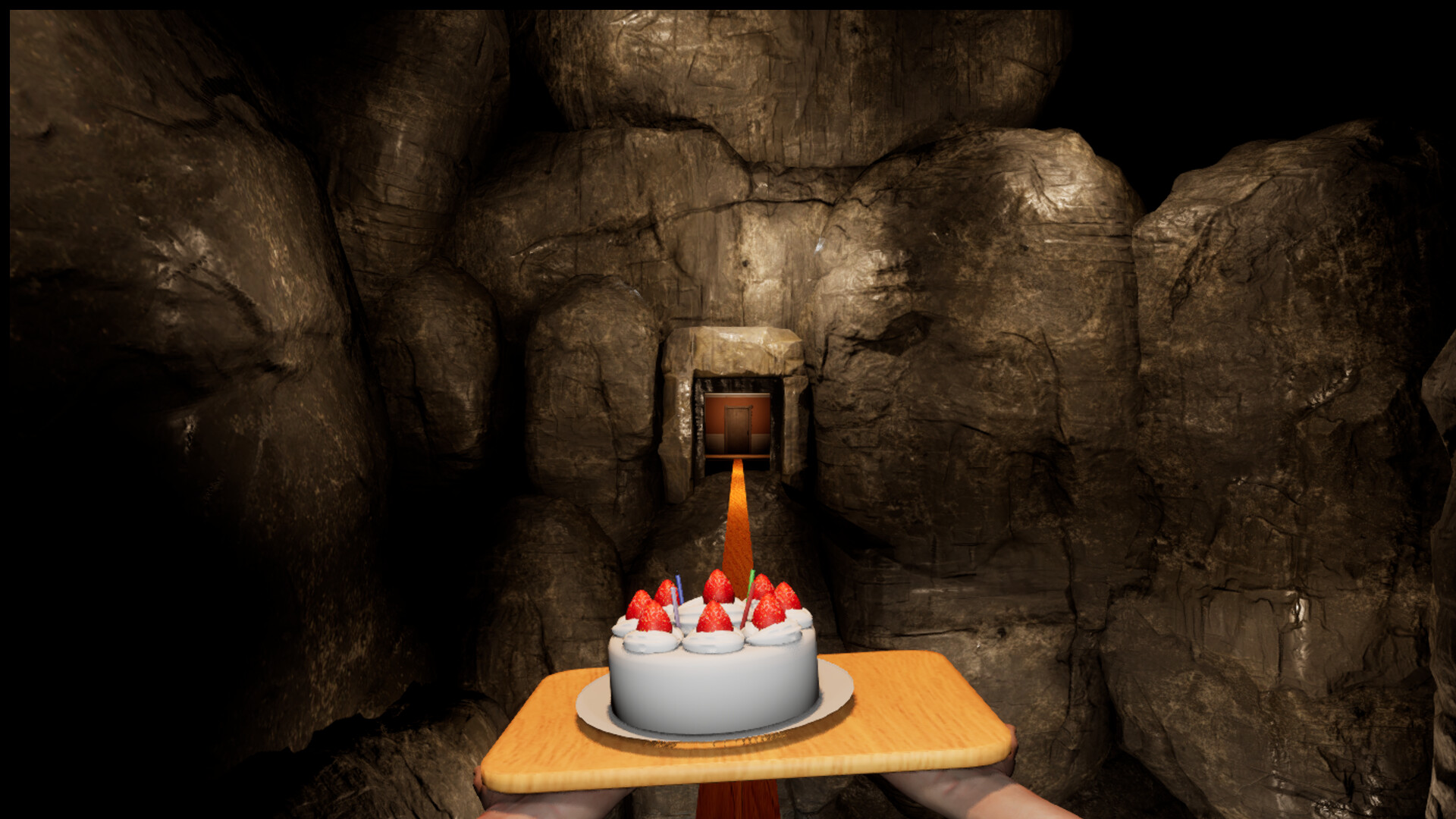
This is not a conventional mouse-look game. Before a corner, release W, face the exit with A or D, centre the cake with one small mouse movement, then continue. That rhythm is slower for a few minutes and much faster than losing a checkpoint to a panic correction.
Choose a first difficulty
| Setting | Best for | What to expect |
|---|---|---|
| Super Easy | Story-first players, motion-sensitive players, or anyone learning the input | Steam says the cake does not slide from walking unless the mouse moves. Hazards, route rules, and objectives still matter. |
| Easy | Most first full playthroughs | A useful balance between learning the cake and keeping the route tense. This is the wiki's recommendation from reviewed complete runs, not an official label. |
| Normal | Players comfortable with keyboard turns and restrained mouse movement | The intended balance pressure is more noticeable, especially in machinery, snow, and late chase sections. |
| Hard | Players who want cake control to be the main challenge | Small over-corrections and rushed turns are punished more often. |
You can reopen Difficulty from the pause menu during an active run. Lower the setting for a checkpoint that has become repetitive, clear it, then raise it again from the same menu if you want the later route on a higher setting. Difficulty and checkpoints explains the four modes and retries in more detail.
Use checkpoints to learn instead of brute-forcing
After a drop, Continue returns you close to the current obstacle rather than to the beginning of the game. A local button pattern, timer, or chase can reset even though the larger checkpoint remains saved. Use that reset deliberately:
- On the first attempt, identify the objective and the safe floor.
- On the second, decide where to walk straight and where to stop before turning.
- On the third, adjust only the input that caused the drop.
If you do not yet know what the game wants—such as a missed switch, locker, or movement rule—changing difficulty will not solve it. Open the full walkthrough and jump to that chapter's roadblock instead.
Know the five-chapter route without spoiling the ending
The released game follows five linear chapters. You begin in the house, continue through Factory and Strife and In a Freezing Hell, then enter At Betrayal's End before the short finale, Until the Very Last Moment. You do not need to search every room for an optional build or combat upgrade: the route is about prompts, hazards, hiding, timing, and keeping the cake stable.
For practical help, the walkthrough separates the common problems: factory conveyors and lockers, the clock creature's Don't move rule, the snow and ski route, the mannequin head-turn signal, and the final chase. It keeps major story interpretation on the separate ending explained page.
Pick the right Steam app for your goal
| Version | Use it when | Do not use it as |
|---|---|---|
| Full game | You want the complete route, ending, and current reference for a problem. | Evidence that an older Demo or Prologue route still works. |
| Demo | You want a free trial of the later balancing concept before buying. | A replacement for the complete story. |
| Prologue | You want to compare the earlier introduction or development history. | A definitive map, puzzle, or final-story guide. |
The three entries are separate Steam apps. Their shared premise does not make their routes interchangeable, so follow a guide that identifies the full-game build when you are stuck. The Demo, Prologue, and full game comparison covers their release context, scope, and save-continuation boundary.
Avoid these first-hour mistakes
| If this keeps happening | Likely cause | Try this instead |
|---|---|---|
| The cake shoots sideways while you inspect a room | You are using the mouse as a camera. | Stop, turn with A/D, then make one deliberate mouse correction. |
| Every corner causes a drop | You are walking, turning, and correcting at once. | Release W, turn, centre the cake, then continue. |
| A chase feels random | You are reacting to the creature rather than the route. | Learn the exit direction and use the walkthrough's encounter rule before retrying. |
| A launch-day video gives different conveyor timing | The post-launch build changed that section. | Check your game version and follow the current route principle, not an old second-by-second input. |
| You keep changing settings without improving | Too many variables changed between retries. | Keep the difficulty and route fixed; test one movement habit at a time. |
Sources, scope, and when this guide changes
Steam is the primary source for the game's balancing premise, selectable difficulty, frequent checkpoints, and Super Easy behaviour. The exact controls, chapter sequence, and retry examples here are an original synthesis from the complete released-game runs cited in the walkthrough, not copied instructions or developer documentation. Store and patch-sensitive information was rechecked on September 16, 2026; route evidence in the linked walkthrough was reviewed on September 11, 2026.
The advice above is deliberately labelled as player guidance when it is not an official rule. If a later patch changes an obstacle or balance behaviour, check official patch notes first, then use the version and checkpoint details in a bug report or help request.
Continue exploring
Related guides
Don't Drop The Cake Guides: Puzzle Solutions & Fixes
Stuck in Don't Drop The Cake? Find factory button solutions, cage lever checks, clock monster rules, ski controls, cabin detonators and final chase fixes.
Don't Drop The Cake: Demo, Prologue and Full Game
Compare the Don't Drop The Cake Demo, Prologue and full game by Steam app, release date, scope and save-carryover notice. Avoid following the wrong route.
Don't Drop The Cake Controls & Cake Balancing Guide
Don't Drop The Cake controls and balancing guide for WASD, mouse corrections, corners, chases, conveyors and ski sections, with fixes for common cake drops.
Don't Drop The Cake Difficulty Guide: 4 Modes & Saves
Choose a Don't Drop The Cake difficulty, practise Hard mode's factory, ski and chase sections, change settings mid-run and use checkpoints to retry safely.